



A golf simulator works by measuring your shot as you hit it and drawing the rest of its flight on a screen in front of you. You hit a real ball, a launch monitor reads it, software works out where it would have gone, and a projector shows it landing. Here's what each part does, how putting and a full round work, and what a home setup costs in the UK.
Quick summary
- A golf simulator is 4 pieces of kit (a launch monitor, an impact screen in an enclosure, a projector and a hitting mat) plus software and a computer, tablet or phone to run it.
- You hit a real ball with your own clubs, and the launch monitor reads it on its way into the impact screen, which stops the ball and drops it to the floor.
- Camera launch monitors sit beside the ball and work in a room 4.5m deep, radar units sit behind you and want 5m, and a ceiling unit such as Trackman iO sets no distance at all in front of or behind the ball.
- The launch monitor measures the start of the shot and the software models the rest: on the Garmin R10, ball speed and launch are measured while carry, total distance and apex height are modelled.
- A full driver swing needs about 2.8m of ceiling height and a room 3m wide, so measure the height before you buy anything.
- At GolfBays prices, a Garmin R10 with a net and a mat is £905, the cheapest complete simulator package is £1,649, and a SkyTrak ST+ SimBox package with an £899 projector comes to £3,389.
What is a golf simulator?
A golf simulator is a launch monitor, software and a screen working together, so you can hit real shots indoors and see where they would have gone. The launch monitor does the measuring. Everything else turns those measurements into something you can play.
A launch monitor on its own gives you numbers on a phone or tablet. Add something to hit into, a projector, and software with courses on it, and you've got a simulator. It's the difference between a speedometer and a driving game.
Most home setups sit somewhere on this ladder:
- A launch monitor and a net. Your numbers on a phone or tablet, for practice.
- A launch monitor, an enclosure and an impact screen. The same numbers, plus the shot on a life-size screen once you add a projector.
- A full bay. Enclosure, screen, projector, a PC and course software, built into a garage, spare room or garden room.
How does a golf simulator work, step by step?
Every shot runs through the same 5 steps, from the ball on the mat to the picture on the screen.

1. You hit a real ball. Your own clubs, off a hitting mat, into an impact screen in front of you. Nothing about the swing changes because you're indoors, apart from the view.
2. The launch monitor reads it. Depending on the model, it photographs the ball as it leaves the clubface or tracks it with radar as it flies. Either way it comes away with ball speed, launch angle, launch direction and spin, and most units read the club as well.
3. The numbers go to the computer. The launch monitor passes them to a PC, laptop, tablet or phone over a USB cable, Ethernet, Bluetooth or Wi-Fi, depending on the model.
4. The software models the flight. It runs the numbers through a model of how a golf ball flies, works out how high it goes, how far it carries, which way it curves and where it finishes, then draws that on a range or a course.
5. The projector puts it on the screen. The picture goes to the projector over an HDMI cable and lands life-size on the impact screen. The screen stops the real ball, it drops to the floor, and the software moves you on to your next shot. The only job the software can't do is fetch the ball.
What are the parts of a golf simulator?
4 pieces of kit, plus the software and a computer, tablet or phone to run it, which you may already own. Prices are GolfBays prices on 30 September 2026.
| Part | What it does | Example at GolfBays |
|---|---|---|
| Launch monitor | Measures the ball and, on most models, the club | Garmin Approach R10, £421 |
| Enclosure and impact screen | Stops the ball, catches mishits and shows the picture | SimBox, from £1,161 |
| Projector | Puts the software's picture on the screen | Optoma GT2200HDR, £899 |
| Software | Models the flight and draws the range or course | Maker's app included; GSPro £250 a year |
| Hitting mat | What you stand on and hit from | GolfBays Standard, £199 |
| Computer, tablet or phone | Runs the software | Often a laptop or tablet you own; HD Spec PC £1,790 |
Launch monitor
Every other part works from the numbers the launch monitor sends, and it can sit beside the ball, behind you or on the ceiling. Where it sits decides how deep the room has to be, which makes choosing a camera or radar launch monitor the first decision on this list, before the enclosure, the projector or the software.
Enclosure and impact screen
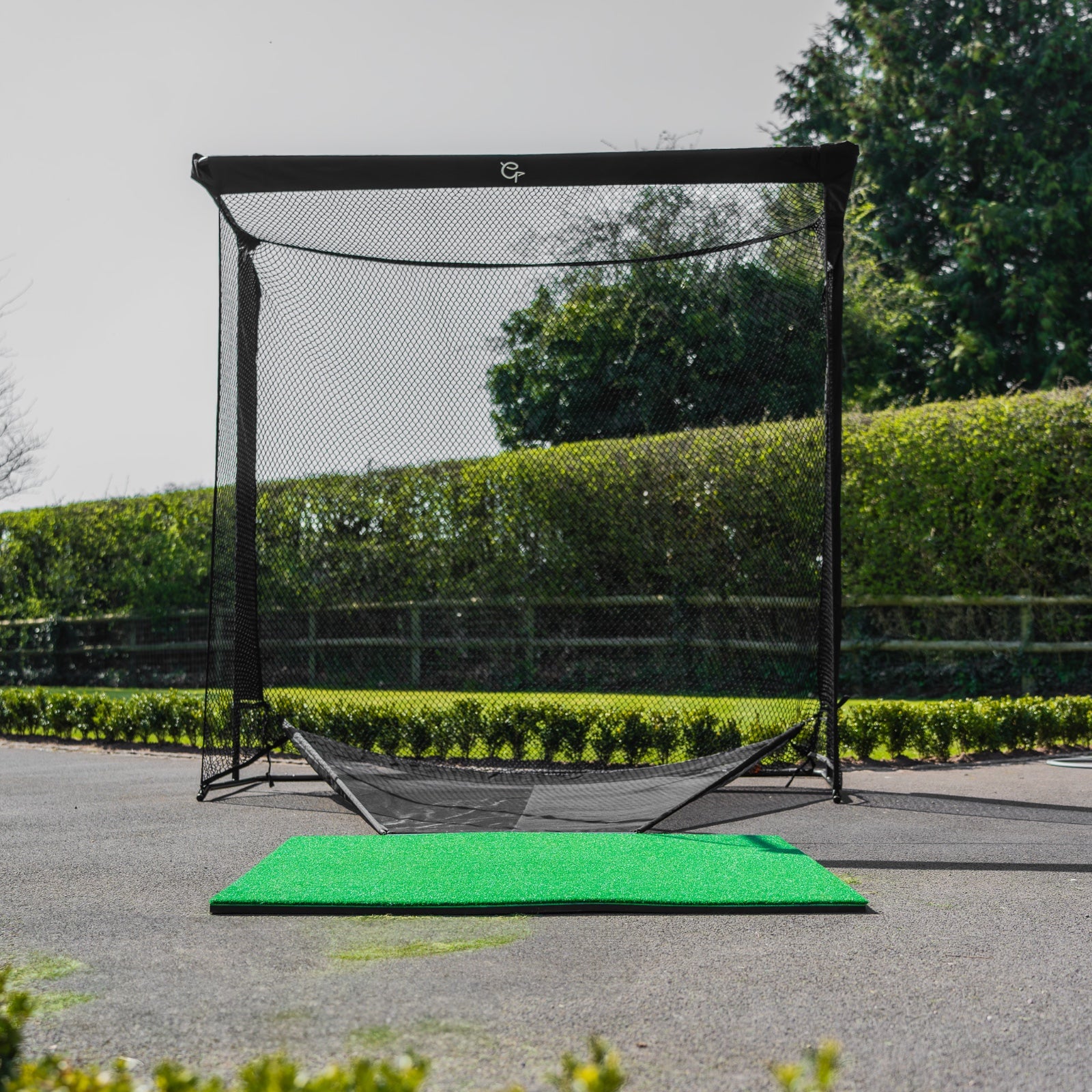
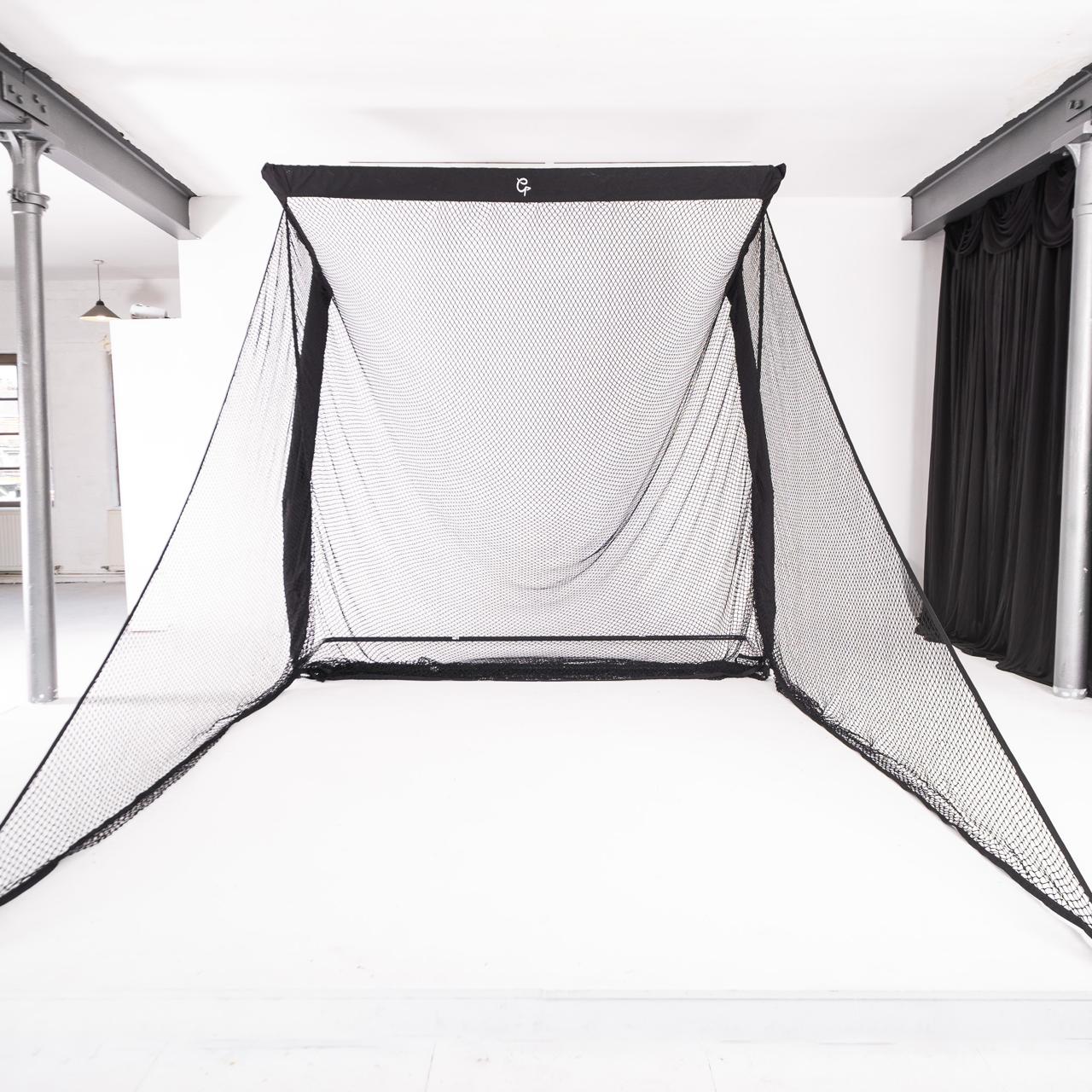
The impact screen is the sheet you hit into, and it's also what the projector shines onto, so it has to take a beating and still show a clean picture.
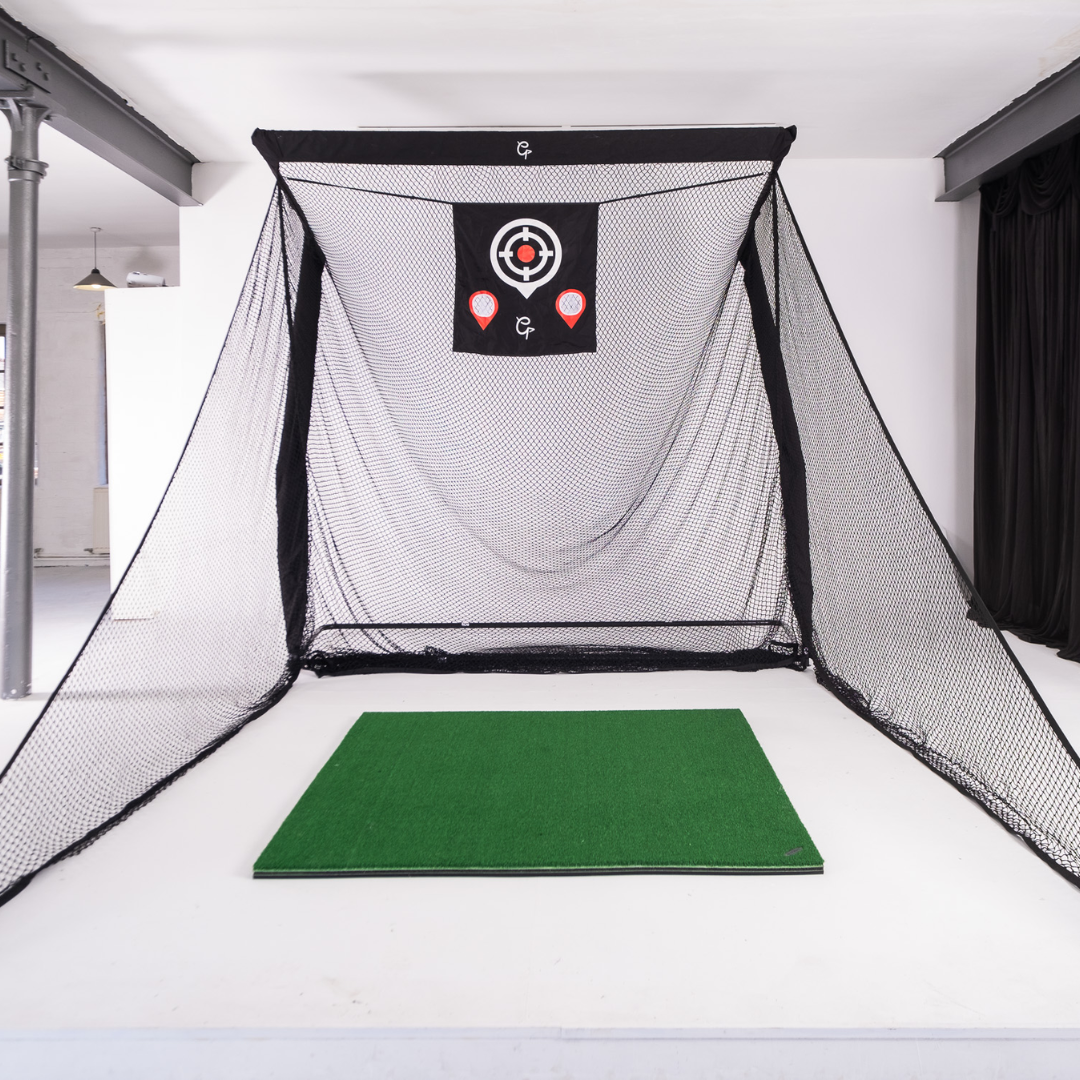
The enclosure is the frame and black surround that holds the screen. It catches the shots that miss the screen and keeps stray light off the picture, which counts in a garage with a window.

The SimBox enclosure is our own: an aluminium frame you assemble by hand, with no tools, in under an hour, a black velvet surround, and your pick of 3 screens: LITE, Close-Knit Baffle or PRO+. It comes in 7 sizes, from £1,161 at 2.6m wide, or £1,376 at 3m wide with the PRO+ screen.
Projector
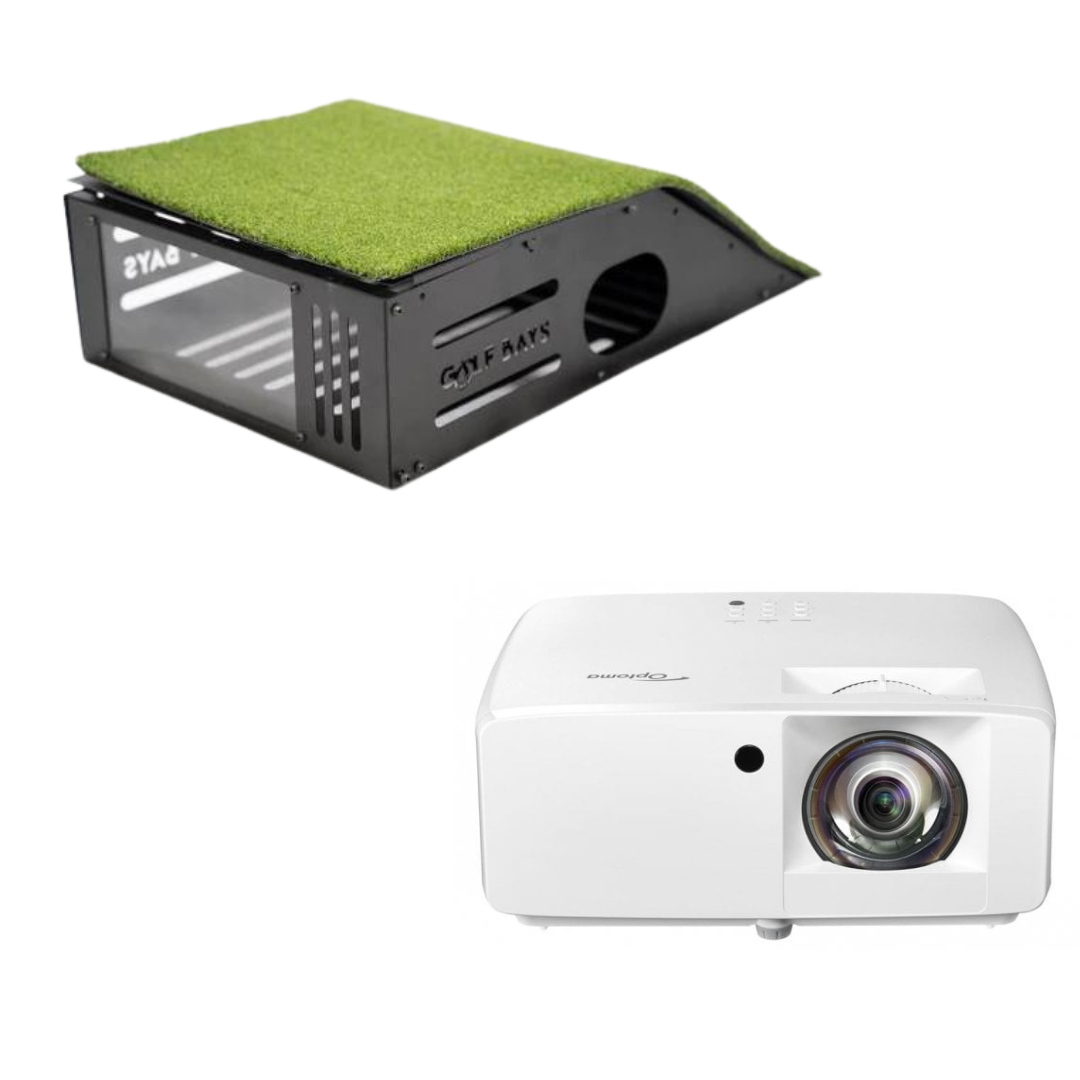
The projector takes the picture from the computer and throws it onto the impact screen. Simulator projectors are usually short throw, so they make a big picture from close to the screen. That lets the projector hang ahead of you on the ceiling, out of your backswing, with your shadow off the picture.

The Optoma GT2200HDR costs £899 and shows how short a short throw is: from a little over a metre, its 3,300 lumens make a 100-inch full HD picture.
In most garages, brightness and the distance from the lens to the screen matter more than resolution, and those 2 numbers decide which simulator projector will suit the room.
Simulator software
Software is the part that turns numbers into golf. It takes the launch monitor's readings, models the flight, and draws the shot on a driving range, a practice game or a real course.
Every launch monitor comes with its maker's own app, and plenty of golfers never need more for practice and yardages. Third-party simulator software adds more courses, better graphics and online play with your mates, and the launch monitor you own decides which of it you can run.

GSPro is course software for a bay built around a Windows PC, and its community has built more than 2,500 courses for it. It's £250 a year at GolfBays, and SkyTrak doesn't currently support it.
Hitting mat
The mat is what you stand on and hit from, and it takes every shot you'll ever play in the simulator. A good one has a turf top that lets the club slide through like a fairway and a shock layer underneath, because most garages have a concrete floor and your wrists will remember it.
For a full swing the mat wants to be 1.5m × 1.5m so your feet are on it as well, and the right hitting mat comes down to how often you'll use it and what's underneath.

The GolfBays Standard Hitting Mat is 1.5m × 1.5m for £199, and it's the mat that comes in our SkyTrak ST+ SimBox package.
Computer, tablet or phone
Something has to run the software, and what that is depends on the launch monitor. Plenty of launch monitor apps run on a phone or tablet you already own. GSPro is the demanding one: its own requirements for full HD are Windows 10 or 11, at least a 3060-class graphics card and 16GB of memory. So a phone or tablet is out for GSPro, and so is a laptop below that spec.

The GolfBays Golf Simulator Gaming PC HD Spec is built for the job, with an Intel Core i7-12700KF, an NVIDIA RTX 5060 Ti graphics card, 16GB of RAM and a 1TB SSD, for £1,790.
How do launch monitors read the ball?
In 3 ways: with cameras beside the ball, with radar from behind you, or from the ceiling.

| Type | Where it sits | How it reads the ball | Room depth | Example |
|---|---|---|---|---|
| Camera | Beside the ball | High-speed pictures at impact | 4.5m | SkyTrak ST MAX |
| Radar | Behind the golfer | Tracks the ball in flight | 5m | FlightScope Mevo Gen 2, Garmin R10 |
| Ceiling | Above the hitting area | Looks down from overhead | No set distance in front or behind | Trackman iO Home |
Camera units beside the ball
A camera unit sits on the floor opposite you, with the ball in between, and takes a burst of high-speed pictures as the ball leaves the clubface. From how the ball moves and turns between frames, it works out speed, launch and spin, and most camera units read the club too.
It only needs the start of the flight, so it's happy in a short room. We plan camera bays at 4.5m deep, and camera units read the ball you already play. The catch with any floor unit beside the ball is the swap: when a left-hander steps up, the unit goes round to their side of the mat.

The SkyTrak ST MAX is the camera unit we'd put in most garages. SkyTrak built it on the ST+ (the launch monitor in our ST+ SimBox package), which reads from beside the ball with photometric cameras and dual Doppler radar, and added dual USB connectivity. It's £1,695 with a year of SkyTrak Core.
GolfBays tip
Tee the ball in exactly the spot your launch monitor asks for, every time. Camera units read a set area of the mat, and a ball teed outside it is a shot they can't read properly, which turns up on screen as a miss you never hit.
Radar units behind the golfer
A radar unit sits behind you and watches the ball fly, measuring it from the radar signal that bounces back off it. It has to see some of the flight to do that, so it wants room behind the ball and in front of it. We plan radar bays at 5m deep.

The Garmin Approach R10 shows what radar asks of a room. It sits 1.8m to 2.4m behind the ball and needs at least 2.4m between the ball and the net or screen, for £421.

The FlightScope Mevo Gen 2 backs its 3D Doppler radar with camera images, and it goes to the driving range as readily as the garage. It's £1,199 with 8 E6 Connect courses to keep.
Radar units need a little help indoors. They read spin more reliably from a ball with an RCT mark or a metallic dot, so keep a few of those just for the simulator.
Ceiling units overhead
A ceiling unit reads the shot from directly overhead. Trackman iO does it with radar, infrared and high-speed imaging together, measures spin and spin axis in 3D, and sets no minimum distance in front of or behind the ball. With nothing on the floor, there's nothing to trip over or knock out of line.

Bought on its own, Trackman iO Home is £12,594. Once it's bolted to the ceiling it stays there, so it belongs in a dedicated golf room rather than a garage the car shares.
✓ Do this
Measure the room depth first, then choose the launch monitor: a camera unit beside the ball in 4.5m, radar only if you've got 5m.
✕ Not this
Buy a radar unit for a 4.5m garage and stand closer to the screen to make it fit, then wonder why the numbers wander.
Not sure which launch monitor your room can take?
Send us your measurements and we'll tell you which launch monitor, enclosure and projector will fit, and what it all costs. It's free.
Book a free consultationHow does the software turn your numbers into a ball flight?
It runs them through a model of how a golf ball flies. The launch monitor hands over a handful of numbers from the start of the shot, and the software works out the rest of the flight from them.

Each number has a job:
- Ball speed sets most of the distance. More speed, more carry.
- Launch angle sets how steeply the ball climbs.
- Backspin gives the ball lift and helps it stop. Too little and it drops out of the sky early; too much and it balloons.
- Spin axis tilts that lift left or right, and that's what curves the ball. For a right-hander, tilted left is a draw and tilted right is a fade.
- Launch direction sets the line the ball starts on.
From those, the software works out the height, the carry and which way the ball bends. Then the course takes over: the software checks whether the ball has landed on fairway, rough, green or sand, reads the slope under it, and works out the bounce and the roll.
What's measured and what's worked out depends on the launch monitor. Garmin sorts the R10's numbers into 3 kinds: measured ones come straight from the radar, derived ones are calculated from what the radar saw, and modelled ones come from the flight model.
| Number | How the Garmin R10 gets it |
|---|---|
| Ball speed | Measured by radar |
| Launch angle | Measured by radar |
| Launch direction | Measured by radar |
| Club head speed | Measured by radar |
| Spin rate and spin axis | Derived |
| Club path, face angle and attack angle | Derived from radar |
| Carry and total distance | Modelled |
| Apex height and deviation | Modelled |
Indoors, every simulator models the carry, not just the R10. The ball hits the screen long before it would have landed, so the carry on screen is the software's answer to the numbers it was given, whichever launch monitor you own.
That makes good numbers at impact the most important thing in the chain. The software doesn't care how the swing looked; it only sees the numbers.
How does putting work on a golf simulator?
The same way as every other shot, with a catch: a putt stays on the ground and doesn't travel far, so the launch monitor has less to read.
Camera units handle it better than radar, because they read the ball as it leaves the putter face, just as they read a drive. Radar units need to see the ball move to measure it, and a short putt gives them very little.
Some systems take putting out of your hands altogether: in Garmin's Home Tee Hero, the R10 has no live putting and counts your putts from where the approach finished, while third-party software deals with the green in its own way.
Simulator software such as GSPro lets you choose how the green works:
- Putt everything out, the proper way, and the slowest.
- Gimmes inside a distance you set, so the tap-ins don't eat the evening.
- Auto-putt, where the software takes the putts for you.
On the green, GSPro shows the slope with a heat map and lets you set the green speed. Good simulator putting also needs a flat, flush surface: a mat edge that steps down to the floor knocks the ball off line before a radar unit has had a proper look at it.
What stops the ball in a golf simulator?
The impact screen. You hit a normal golf ball with your own clubs, and it flies straight into a screen built to absorb it and let it drop to the floor. The screen and the enclosure around it split the work:
- The impact screen takes the hit. It's a layered, woven fabric that deadens the ball rather than firing it back at you. Some screens are made to be quieter on impact, which is worth paying for when the neighbours are on the other side of the wall.
- The enclosure catches the thin ones and the shanks. Its sides stop a mishit from finding the walls, the lights or the car.
A net does the stopping part for less money, and with a launch monitor and a tablet it makes a good practice setup. You watch the numbers rather than the shot, though, and that's the gap a screen and a projector fill.
Watch out: a wall, a bedsheet or a tight net
A golf ball at full speed bounces hard off a wall and goes through a bedsheet, and a net pulled drum-tight throws it straight back at you. An impact screen hangs with some give, so it soaks up the ball instead.
How does a round on a golf simulator work?
Much like a round outside, minus the walk between shots and the queue on the 1st tee.
You pick a course in the software, set up the players and the tees, and hit your tee shot. The software shows where it finished, puts you there, and you play the next shot from the same mat, whatever the lie on screen. Chips and bunker shots come off the mat too.
On the green you putt, take a gimme or let the software putt, depending on how you've set it up, and it keeps the scorecard as you go.
You can play on your own or with your mates. GSPro plays up to 8 players in the room or online, in stroke play, scrambles, stableford, match play, best ball and alternate shot.
How long a round takes depends mostly on how many of you there are. Woolley Park Golf Club, which runs a Trackman simulator, tells players to allow about 1 hour per player for 18 holes, so a 4-ball playing 9 holes is looking at about 2 hours. Gimmes and auto-putt bring that down.
GolfBays tip
Agree the gimme distance before the 1st tee, not on the 3rd green. It saves time, and it saves an argument.
How much room does a golf simulator need?
About 3m wide, 2.8m high and 4.5m deep with a camera launch monitor beside the ball, or 5m deep with radar behind you. Those are the numbers for a full driver swing, and height is the one to measure first.
| Your setup | Ceiling height | Room width | Room depth |
|---|---|---|---|
| Camera unit beside the ball | 2.8m | 3m | 4.5m |
| Radar unit behind you | 2.8m | 3m | 5m |
| Left and right-handers sharing the mat | 2.8m | 4m | 4.5m to 5m |
A 2.4m ceiling, common in British garages, leaves most adults 40cm short of the 2.8m a driver swing needs. If no room in the house is tall enough, a garden room can be built around the swing. A ceiling unit keeps the floor clear, but your swing still needs the height.
How much does a home golf simulator cost?
The Garmin R10 net and mat bundle is £905, complete simulator packages start at £1,649, and a ceiling-mounted Trackman iO package starts at £14,050. These are GolfBays prices on 30 September 2026.
| Setup | What you get | Price |
|---|---|---|
| Practice setup | Garmin R10, Spornia SPG-7 net and a hitting mat | £905 |
| Cheapest complete package | Square Golf EasySim: camera launch monitor, enclosure and screen | £1,649 |
| SimBox package | SkyTrak ST+ SimBox: launch monitor, enclosure, PRO+ screen and mat | £2,490–£2,890 |
| Add a projector | Optoma GT2200HDR, full HD short throw | £899 |
| Add a gaming PC | GolfBays Gaming PC HD Spec | £1,790 |
| Ceiling-mounted bay | Trackman iO Home SimBox | £14,050–£14,450 |
The cheapest way in is the practice setup: a launch monitor, a net and a mat, with your phone running the app. You get the numbers, just not the picture.

The Spornia SPG-7 and Garmin R10 bundle is £905 for the R10, a pop-up practice net with a target sheet, a roof attachment and a chipping basket, and a hitting mat.
A complete simulator adds the enclosure and the screen, and the projector turns the numbers into a shot you can watch.

The Square Golf EasySim package is our cheapest complete simulator package at £1,649, with a Square Golf camera launch monitor and an enclosure that stands 2.5m tall, spans 3.3m and takes just 1m of depth. With a hitting mat it's £1,849.

The SkyTrak ST+ SimBox package puts the ST+ launch monitor, a SimBox enclosure, our PRO+ impact screen and the Standard hitting mat together, with a year of SkyTrak Core, from £2,490. Add the £899 projector and you've got a complete garage simulator for £3,389. Across our complete home golf simulators, the launch monitor makes most of the difference in price.

Bought together, the launch monitor and the enclosure come as our SkyTrak ST MAX SimBox package, from £2,980, or £3,030 at 3m wide, with the same year of SkyTrak Core.
With the ST+ in place of the MAX, the ST+ SimBox package is £2,540 at 3m wide, mat included. With either SkyTrak, the courses become a yearly membership from year 2, so budget for software as well.

At the top end, the Trackman iO Home SimBox package pairs Trackman iO with a SimBox enclosure, from £14,050, for a bay with a clear floor.
Golf simulator FAQs
What is needed for a golf simulator?
A launch monitor, software, a computer, tablet or phone to run it, a mat to hit from and something to hit into. For the full picture add an impact screen in an enclosure and a projector, and a room about 3m wide, 2.8m high and 4.5m to 5m deep.
Do you hit a real ball in a golf simulator?
Yes. You hit a normal golf ball with your own clubs into an impact screen, which absorbs it and lets it drop to the floor. The launch monitor reads the shot on its way into the screen, and the software shows where it would have gone.
How do you play golf on a golf simulator?
You pick a course in the software and hit your tee shot into the screen, and the software shows where it finished and sets you up for the next shot. You play every shot from the mat, then putt, take gimmes or let the software putt, and it keeps the score, for up to 8 players in GSPro.
How long do 9 holes of golf take on a simulator?
About 30 minutes per player. Woolley Park Golf Club tells players on its Trackman simulator to allow about 1 hour per player for 18 holes, so 9 holes for a 4-ball takes around 2 hours. Gimmes and auto-putt make it quicker.
Is it worth getting a golf simulator?
Yes, if it gets used. A bay in the garage means practice with your numbers on every shot on a dark January evening, and a round with your mates with no tee time to book. It's a harder sell if the room can't take a full driver swing, or if the bay has to come down every time the car goes back in.
How much does it cost to play on a golf simulator?
At home, nothing per round once it's set up, apart from any software membership, such as GSPro at £250 a year. At a golf club or an indoor golf venue you usually book a simulator by the hour.
Ready to build your own?
Launch monitors, enclosures and complete home golf simulators, from a £421 Garmin R10 to Trackman iO.
See all home golf simulators